User 360
User 360 is a data-aggregation dashboard providing insights into user behaviour and engagement plus aggregate data across other Studio modules. By correlating user data with blockchain activity, User 360 enables effective management of customer relationships and offers comprehensive insights — empowering enterprises to better understand their users and enhance overall satisfaction.
For the business-use-case framing of this module — segmentation by NFT holdings, custom attributes, marketing integration, partner deployments — see Enterprise Capabilities › Customer Data Platform.
Audience
User 360 Audience helps enterprises see all their users at a glance.
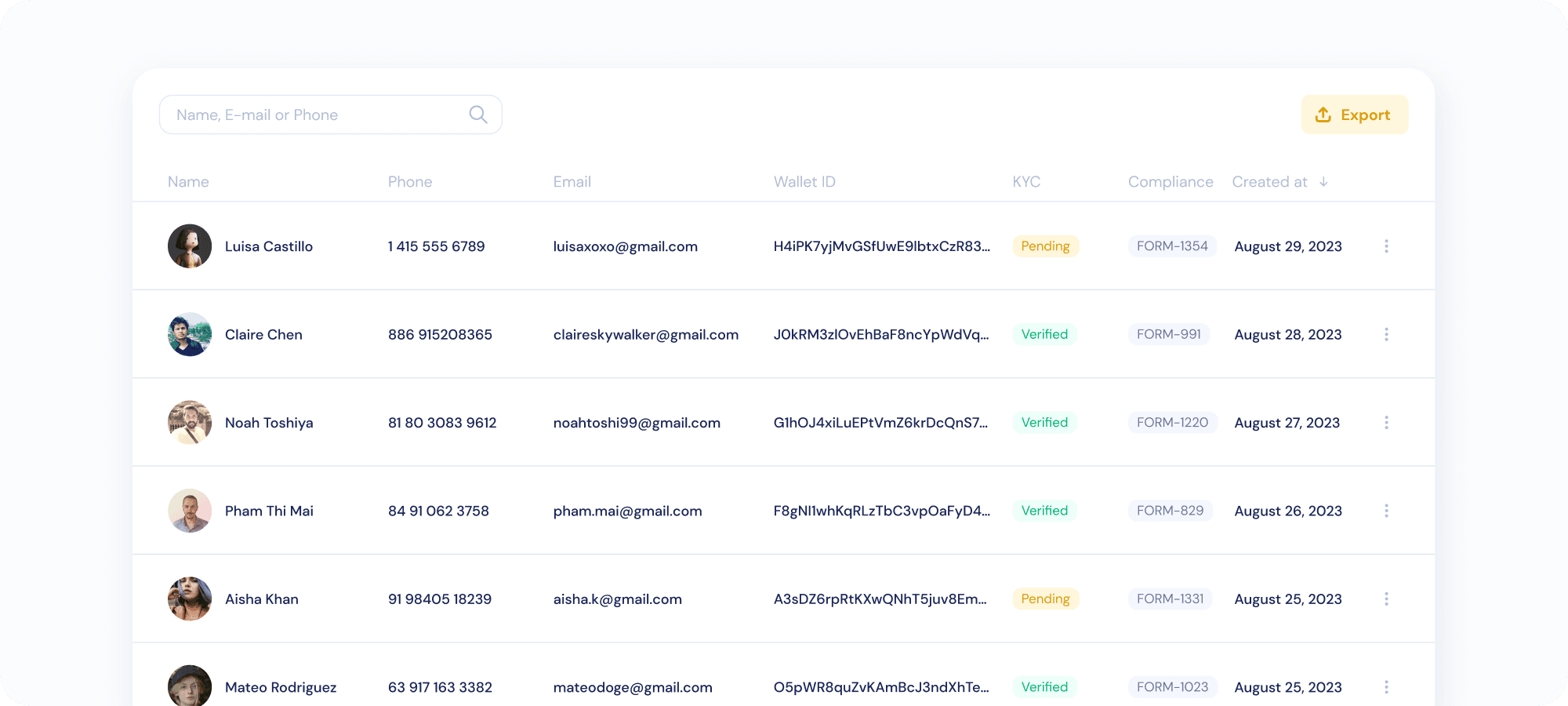
Each user is assigned a unique user identifier in the KryptoGO ecosystem. Data fields per unique user identifier:
- Name
- Phone number
- Wallet ID (same as uid)
- KYC status — see KYC statuses in the Compliance section
- Compliance form number — click on the form number to view related data in Compliance
User DNA
Click on a specific user in Audience to see the user’s “DNA” — more detailed user data, categorised by data relevant to other Studio modules, most notably Compliance and AssetPro.
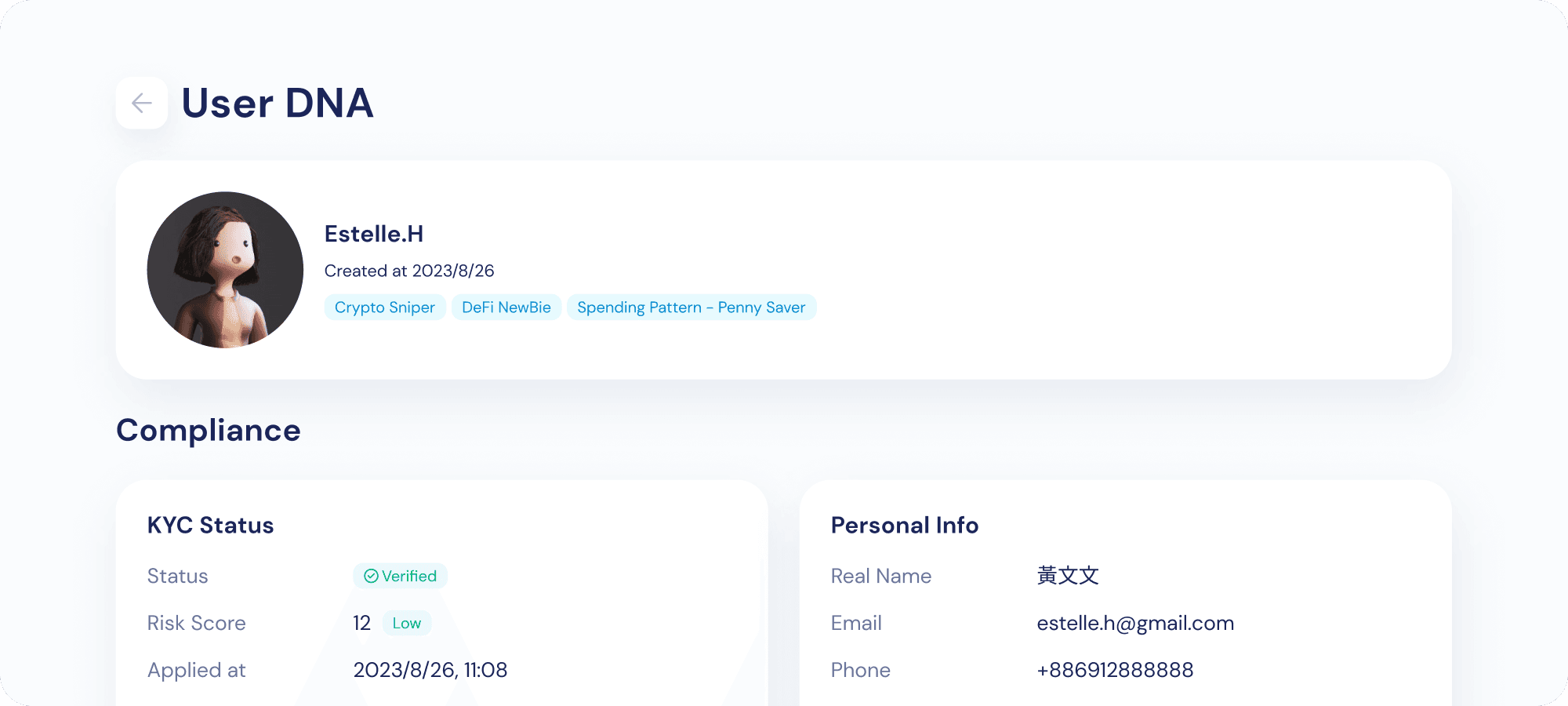
General Data
A collection of tags that fit the user’s description.

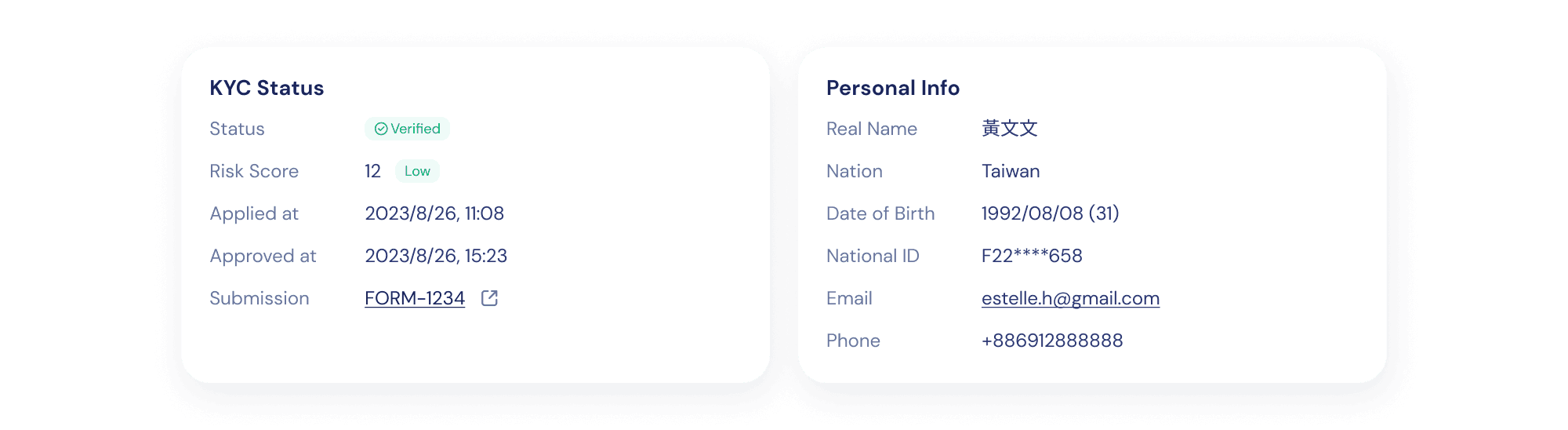
Compliance Data
- KYC Status — see KYC statuses
- Risk Score — see Risk score
- KYC application and approval dates (if applicable)
- Personal information: name, email, phone, document ID (national ID or equivalent)
- Related KYC tasks — click on a task to view related data in Compliance
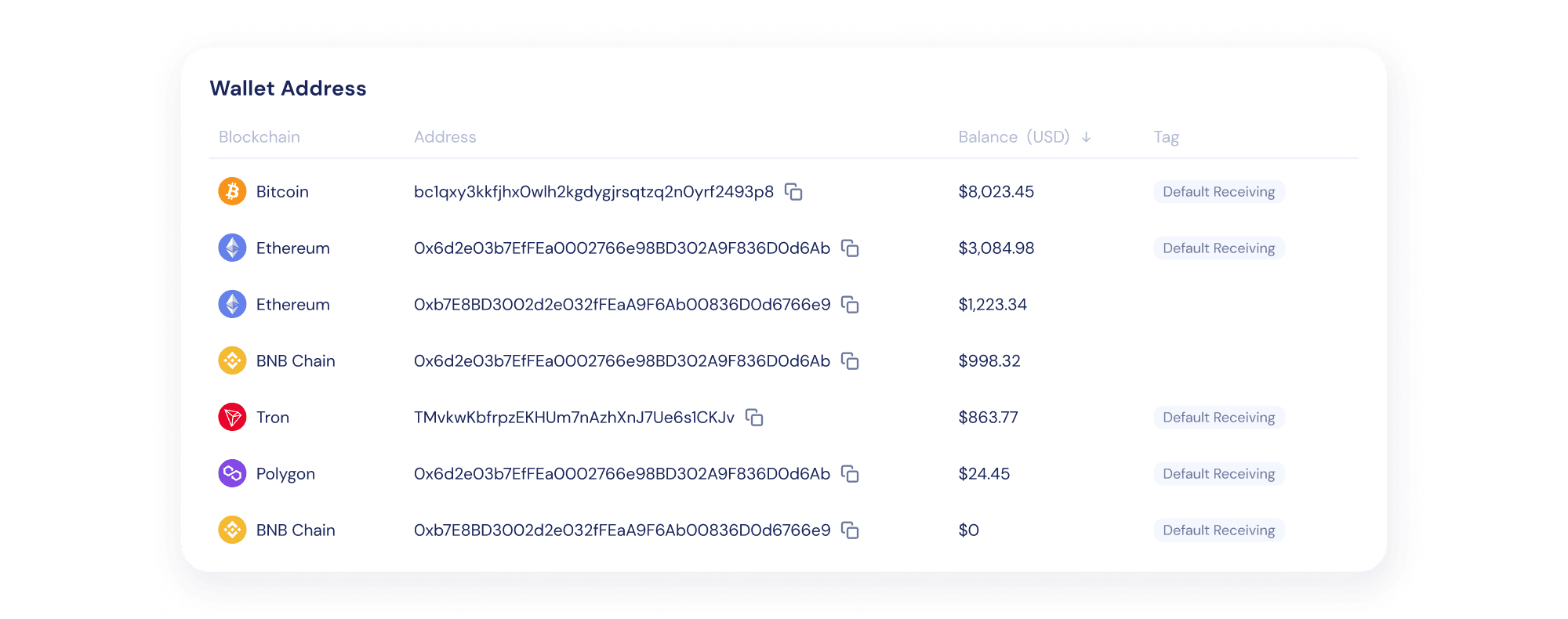
Wallet Data
- Wallet addresses — the user’s wallet addresses on all supported chains.
Data
User 360 Data shows aggregated metrics across Studio modules, constricted to a user-defined date range (all-time, 1 day, 7 days, 30 days, or custom).
User 360 Data refreshes in real time, unless denoted with a 🐢 turtle — those refresh once per day at 11:59 midnight (GMT +8:00).
Compliance metrics
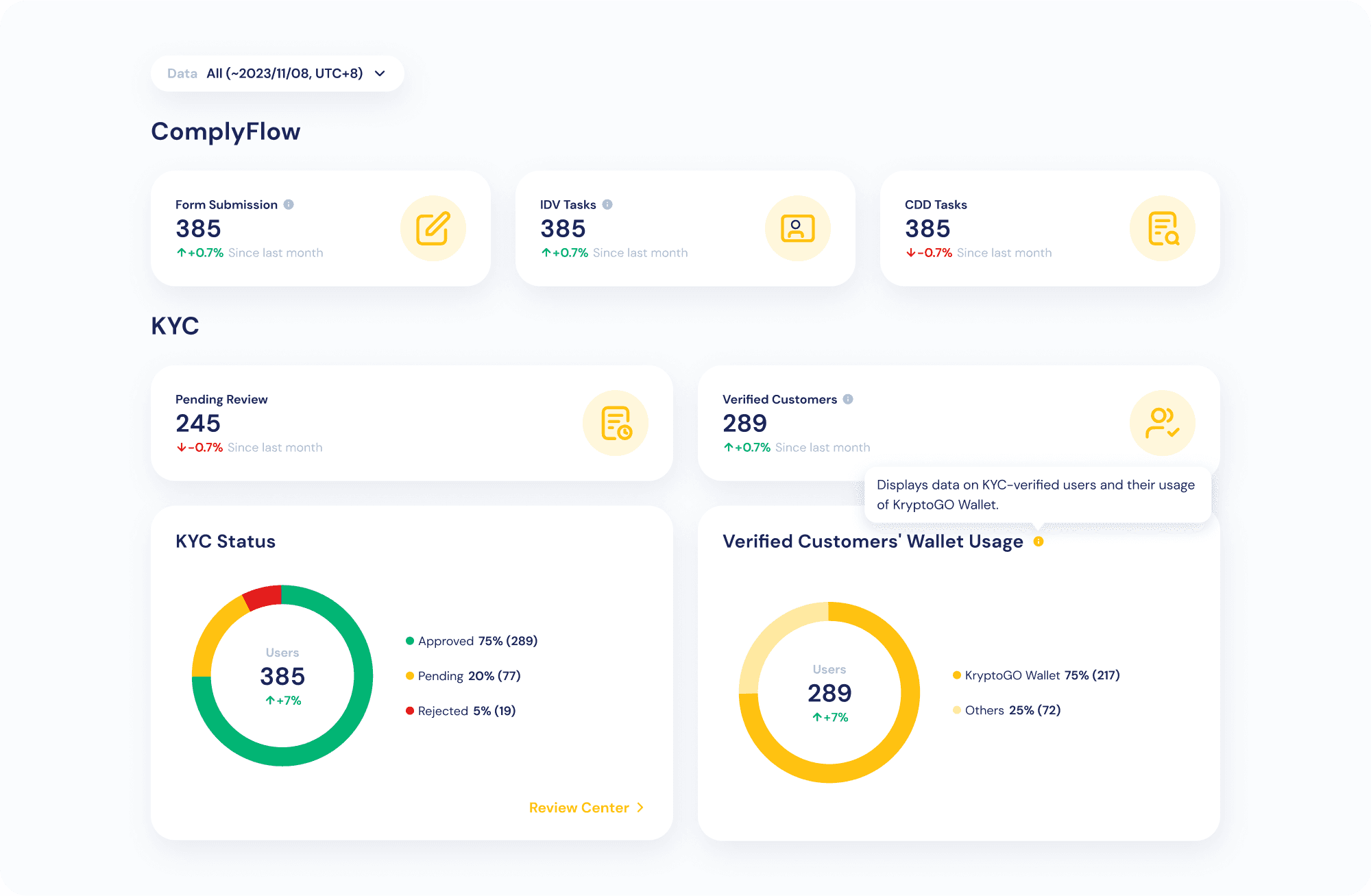
- Form Submissions — number of Compliance Forms submitted
- IDV Tasks — number of identity verification tasks submitted
- CDD Tasks — number of customer due diligence tasks submitted
- KYC Status — pie chart of KYC status distribution
- Wallet Usage — pie chart of verified users using KryptoGO Wallet
AssetPro metrics
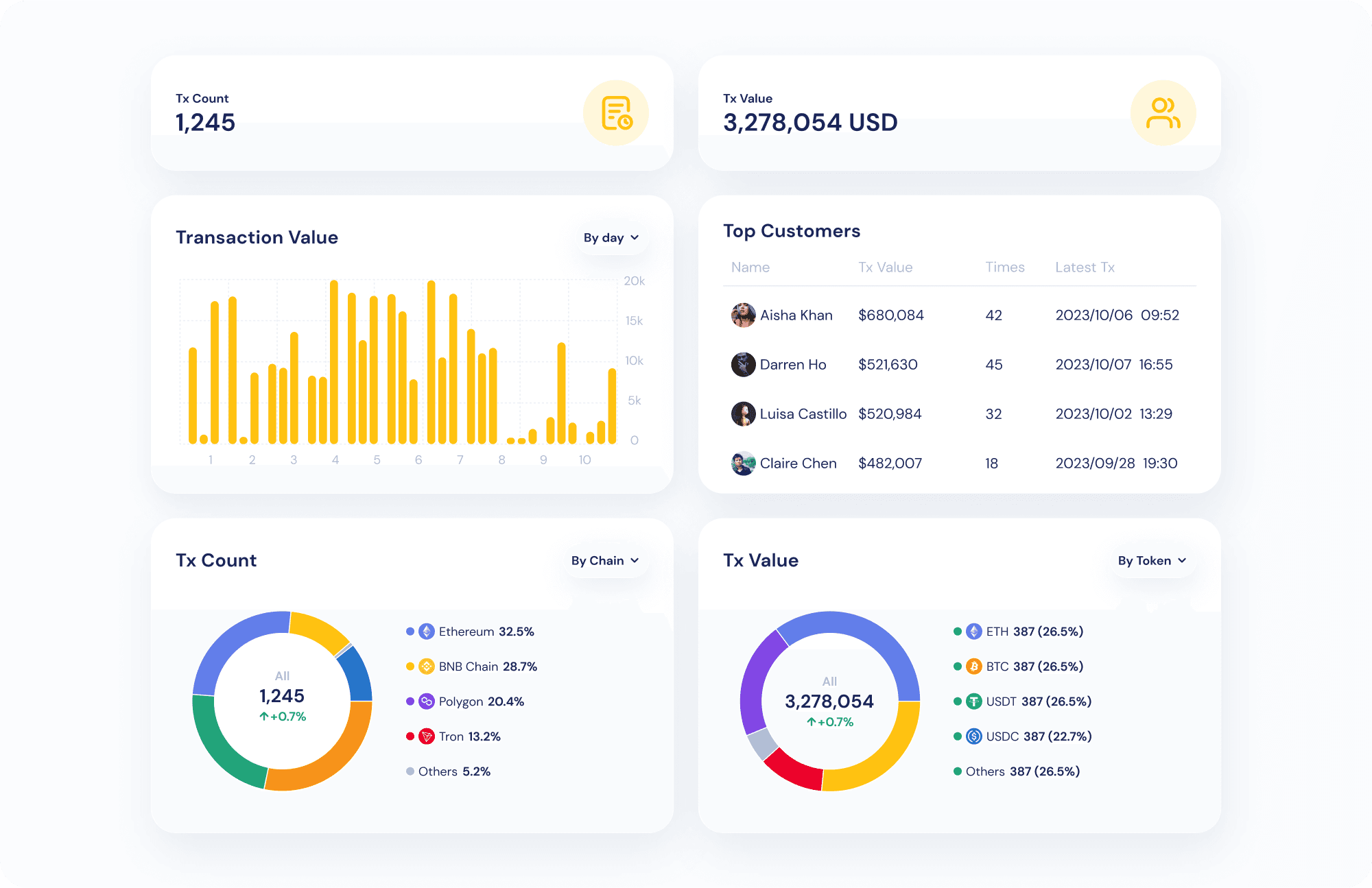
- Transaction count
- Transaction value (USDT)
- Transaction volume by day
- Transaction count by token / chain
- Transaction value by token / chain
- Top customers (sorted descending by transaction volume by default)